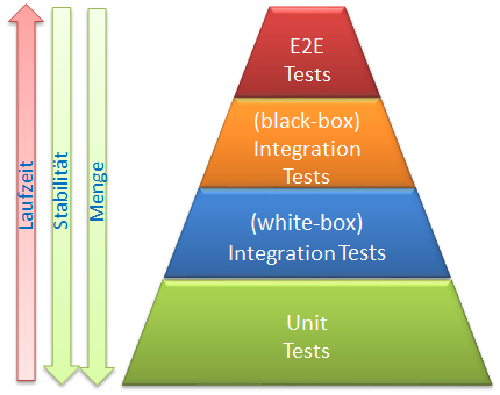
Work on the tasks of the interactive learning platform Interactive Git
Perhaps ask Sven (or someone else) about Azure Dev Ops and Git push and pull requests.
Create a remote Repository on Azure DevOps and Push your Go Repository.
From there on only work on your remote Repository and not in your local storage system.
Assets:
- Cheatsheet: Git Cheatsheet
- Website: Gitlfow - Workflow
- Azure DevOps: Link to our Azure DevOps Repository
- You may have to order following SIAM Roles:
- snyk-de-sit-phpc-adm
- snyk-de-sit-phpc-con
Command Usage git init Initialize Git in our Project git add <“file”> Type in the file name you want to add to the git repository to be saved or type in" ." (blankspace and dot without “”) and all of the changes to any file are saved git commit -m –> describe the changes git log Shows you the log (history) and the hash code for the older versions of your code checkout “hashcode” Switches to previous version git push -u <“name”> Uploads your code into the repository “name” git branch Shows you the branch of your code (Abzweigung/Pfad vom eigentlichen Stammcode (Masterbranch) git merge <“name”> Merges the current branch to the <“name” 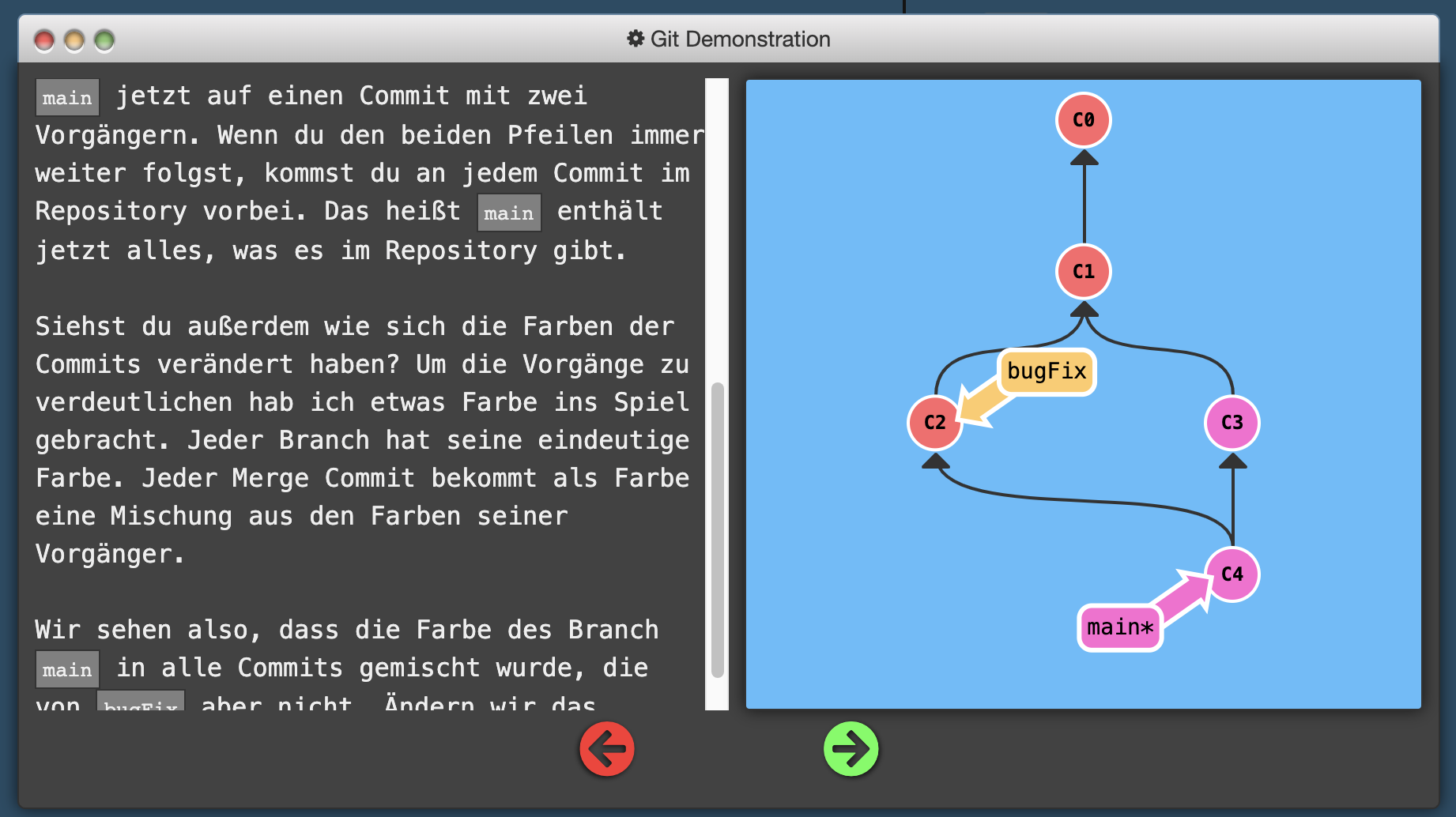
git rebase <“name”> Makes a copy of your current branch to the <“name”> branch and adds all the codechanges from the <“name”> branch to your current branch 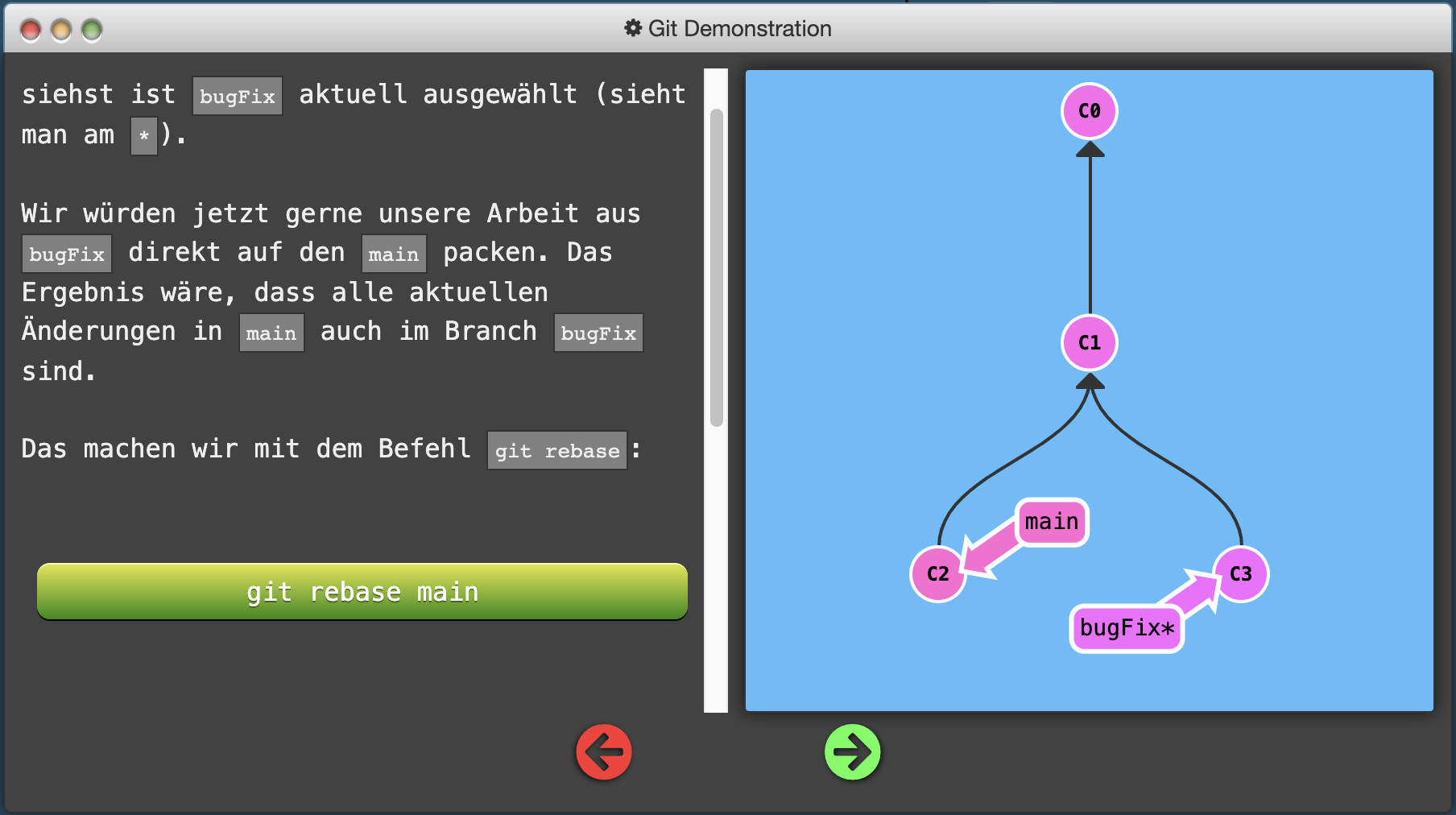
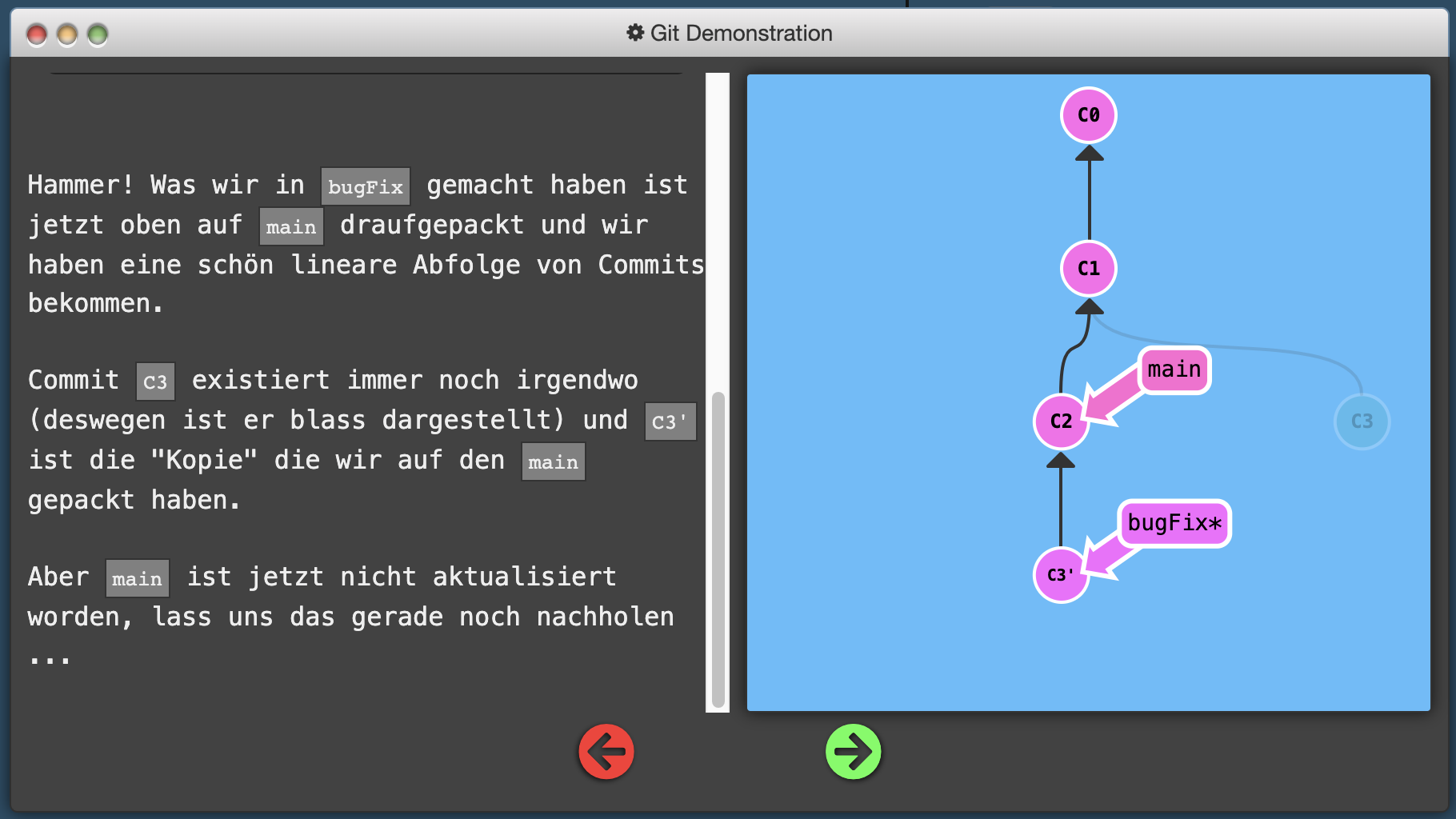
Git rebase -i <“name of the destiny branch”> <“name of the branch you want to add”> Makes a copy of branch you want to merge to a destinated branch checkout <“hash or HEAD”> ^ ^-Operator checks out the branch to a previous commit of the hash you used. (Mit dem ^-Operator kannst du im Branchtree genau einen commit vor <“hash”> oder von <“HEAD”> zurück springen) checkout <“hash or HEAD”> ~ <“number”> Bsp. checkout HEAD~2 (2 commits before current HEAD) " ~ " -Operator checks out the branch to a previous number of commits of the hash or HEAD you used (Mit dem ~-Operator kannst du im Branchtree mehrere <“Nummer”> commits vor <“hash”> oder von <“HEAD”> zurück springen) git checkout -b <“name”> Creates new branch + name of the branch git branch -f <“commit Name you want to checkout”> <“destiny commit you want to merge it to”> Moves a commit to another branch of the repository 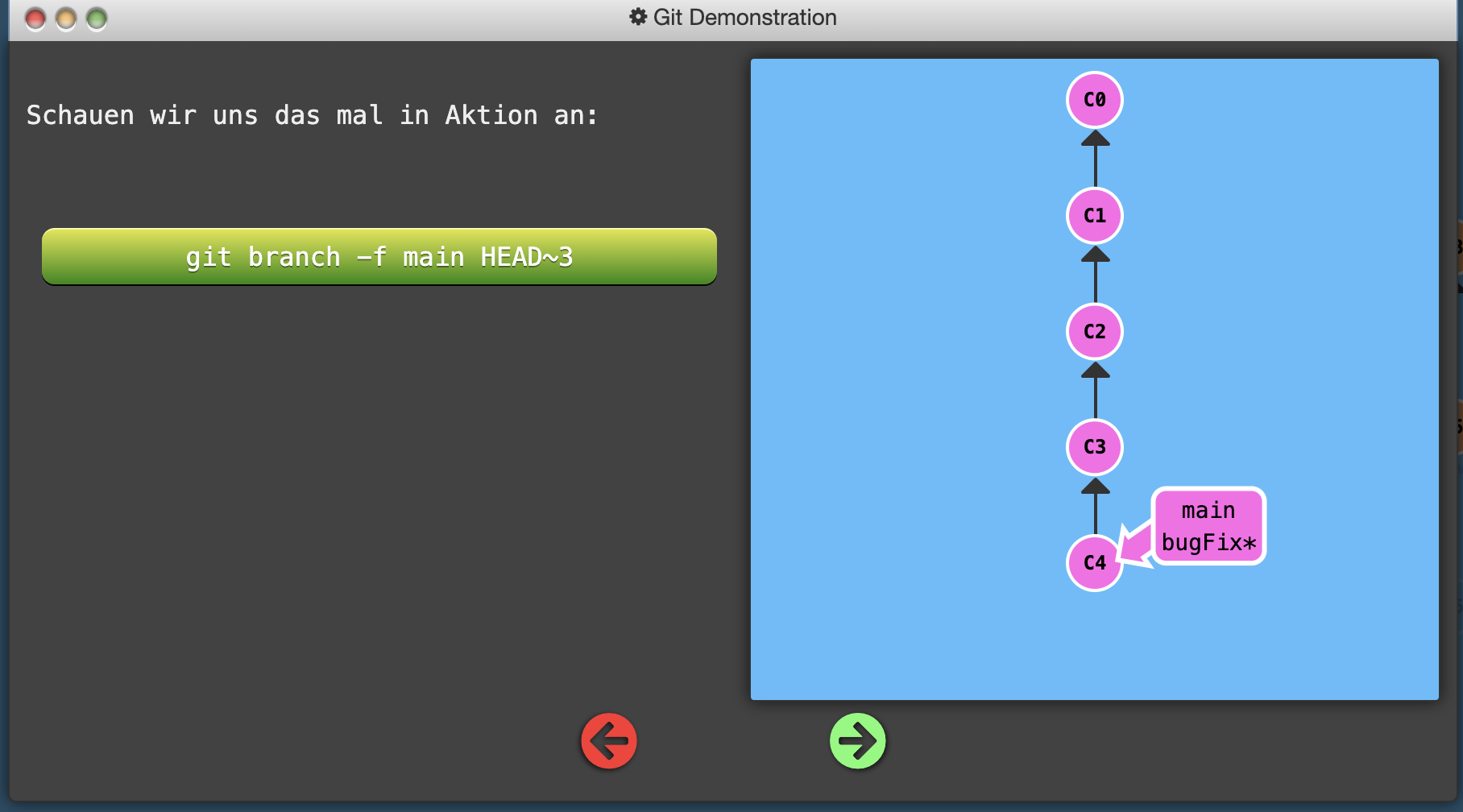 git branch -f main HEAD~3 –> Moves the checkout of the main branch to the commit 3 versions bevor the current HEAD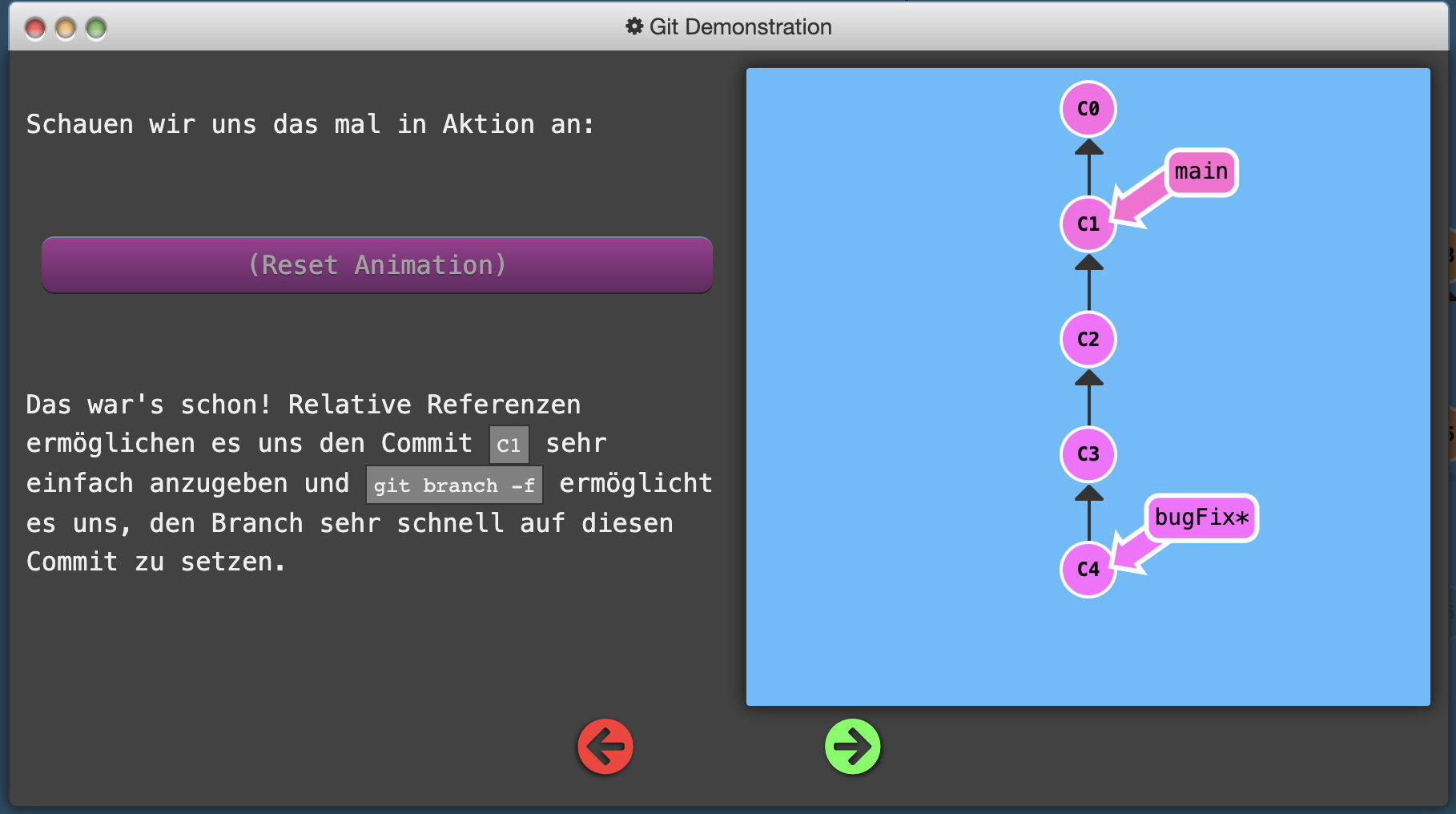
git push origin new branch Uploads the new branch to the repository now you can start a PULL request and merge new branches and Master branch together git pull <“origin master”> Downloads (pulls) the changes of the code from the Masterbranch of the repository to your local computer Git pull = git fetch + git merge git status Checks status of the working tree git clone Clones a repository into a new directory of your local machine Git cherry-pick <“commit 1> <“commit 2”> <…> Makes a copy of the commits you have selected to the branch you are currently located 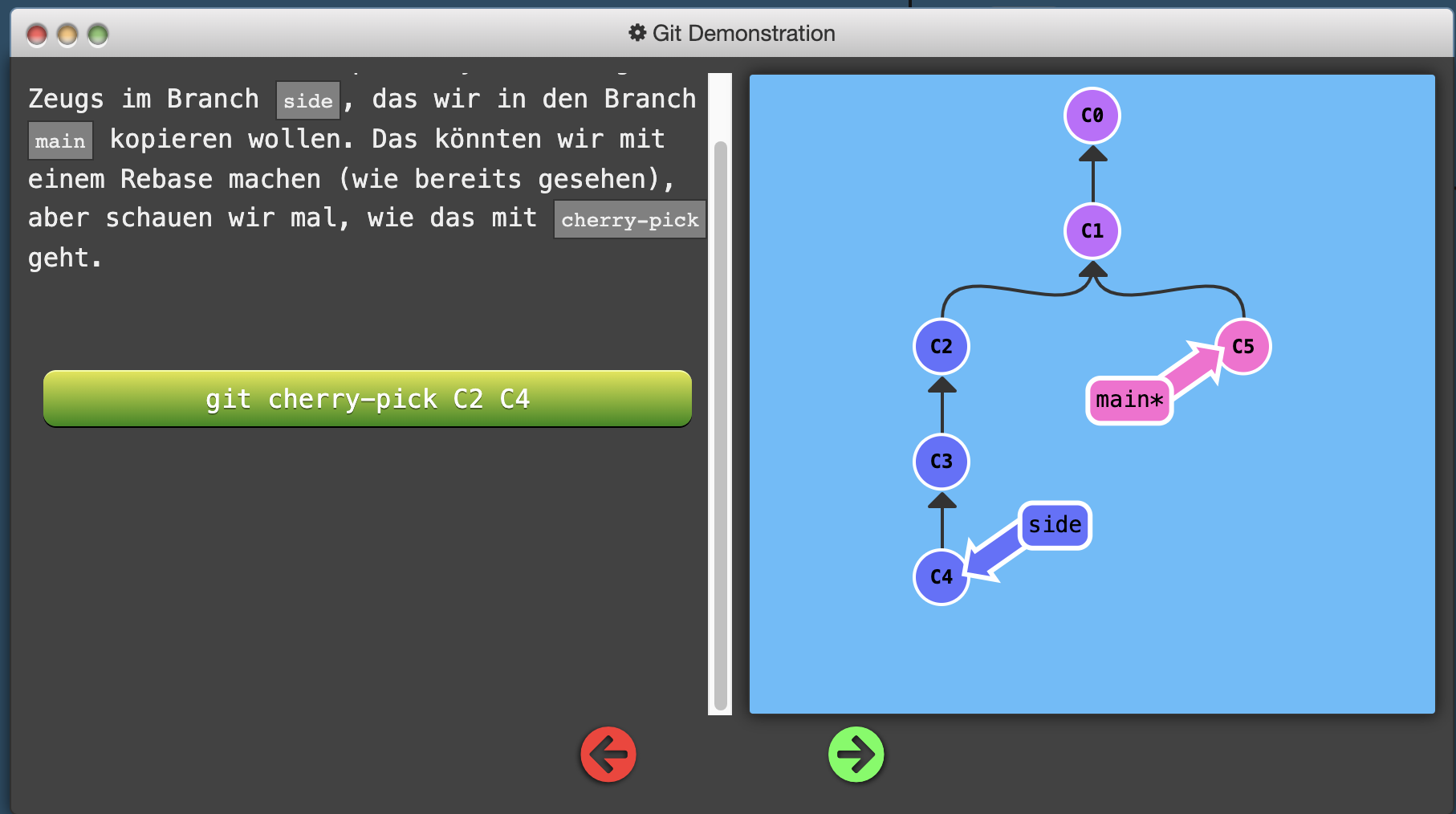 git cherry-pick C2 C4 –> copies the commits C2 and C4 to your current branch (main)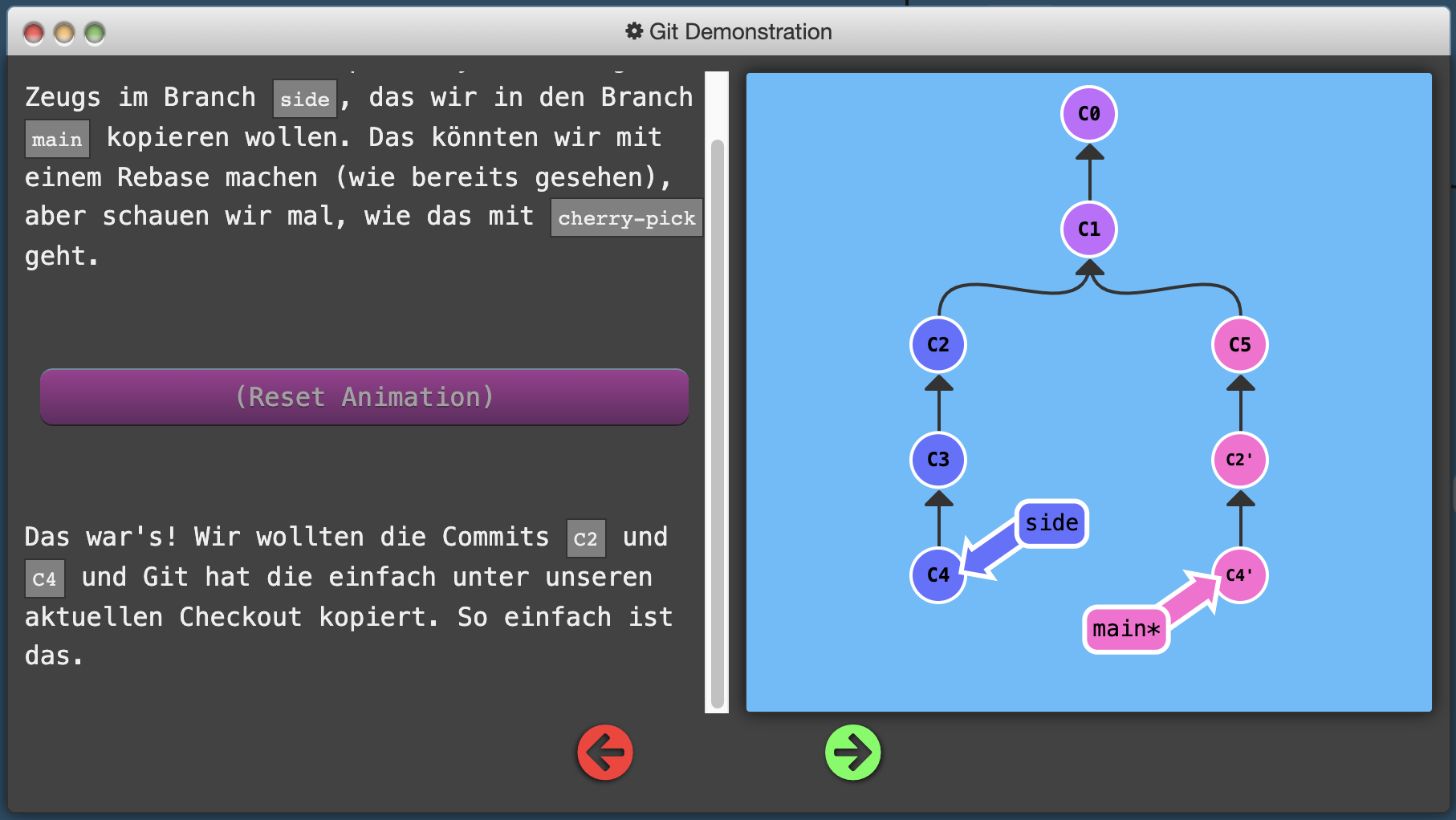
Git fetch Downloads changes from a repository to your local branch BUT DON´T updates the changes = only download Git checkout -b <“name”> <“o/main”> Checkout a branch <“name”> and track o/main with it Git branch -u <“o/main”> <“name”> Does the same like Git checkout -b Git push origin <“Quelle”>:<“Ziel”> Pushes branches from “Quelle” to branch you want with “Ziel” (Befehl kann auch ohne Ziel ausgeführt werden Git push origin <“name”> 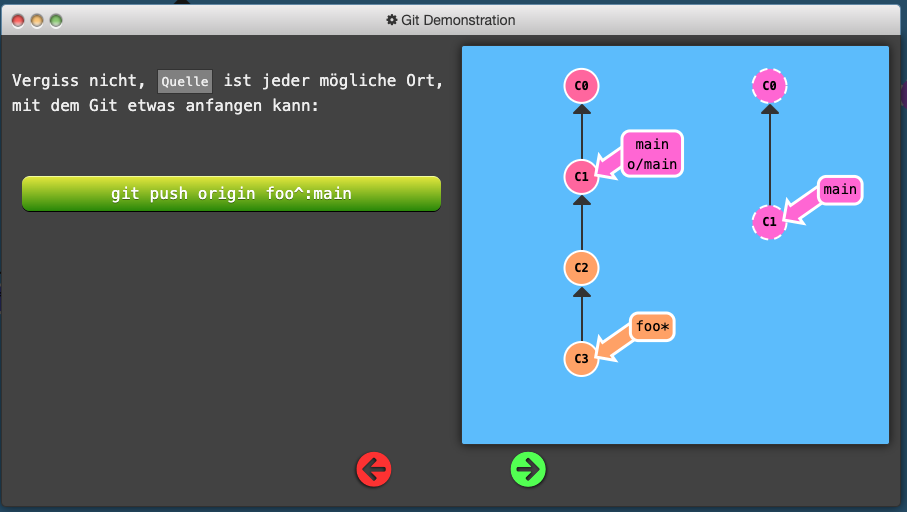
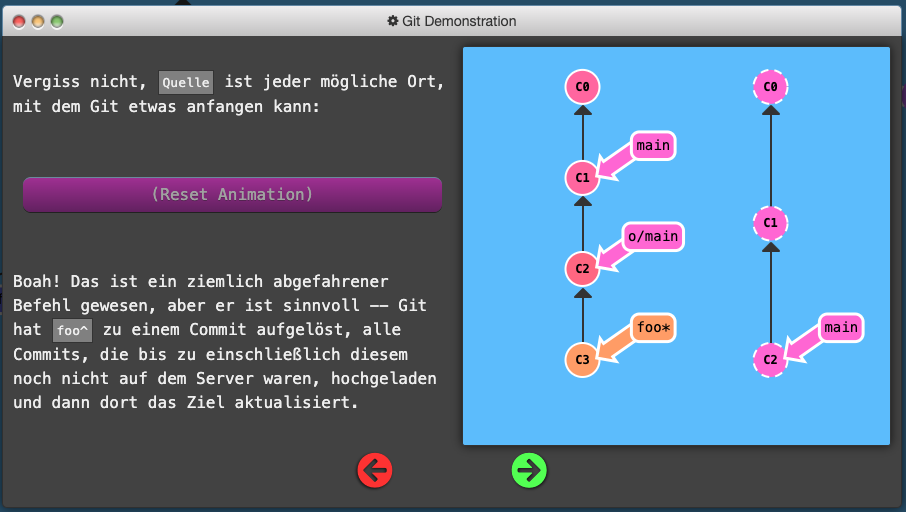 If “Ziel” doesn’t exists, Git creates the “Ziel” local bevor it runs the fetch command
Git fetch origin <“Quelle”>:<“Ziel”> From Server to local. “Quelle” is on the server and “Ziel” is on the local 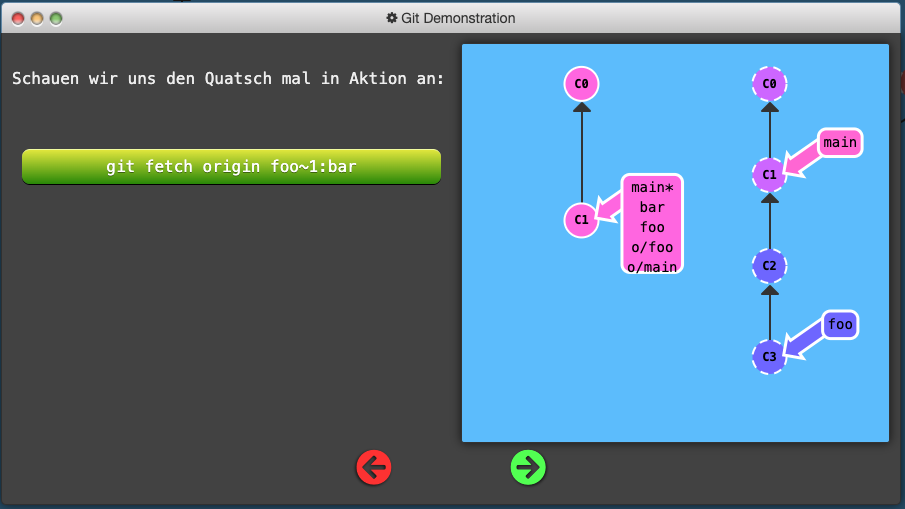
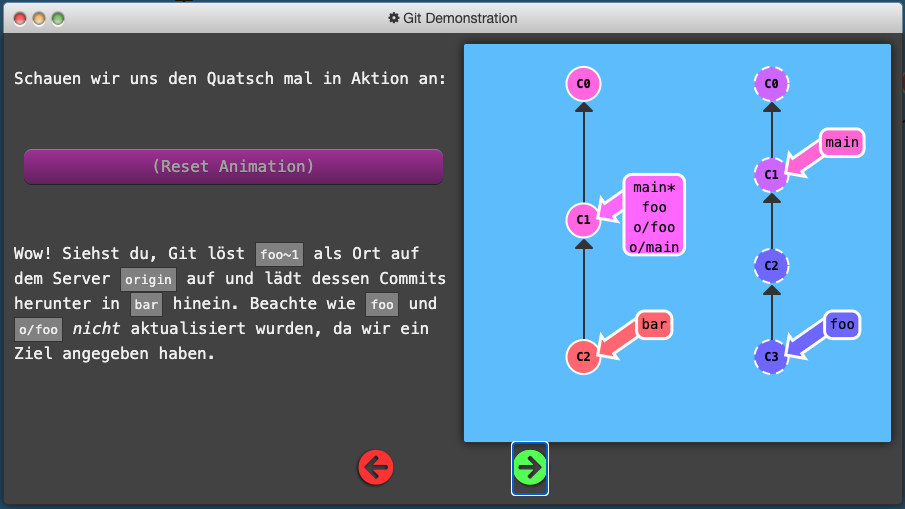
Git push origin :<“Ziel”> Deletes the “Ziel” in remote (auf dem Server) because we pushed nothing on it <“Ziel”> Git fetch origin :<“Ziel”> Creates a new branch in local called <“Ziel”> Git pull origin <“Quelle”>:<“Ziel”> The same like Git fetch origin <“Quelle”>:<“Ziel”> with a included merge after the fetch.
- You may have to order following SIAM Roles:

Use the share button below if you liked it.
It makes me smile, when I see it.